
I’ve seen some seemingly alarming news lately claiming that Apple’s new NameDrop feature, which allows you to quickly share contact information, is unsafe. Some local law enforcement agencies and others are posting on Facebook and other social media that this feature could send all your contact information to others without your knowledge.
While it certainly makes for good headlines and stories, this concern is greatly exaggerated, if not downright false.
Read on to learn why NameDrop is safe and secure.
The Concern
Apple’s latest system updates introduced a new feature called NameDrop that makes it easy to share contact information. The concern being circulated is that because of this feature, a person can just walk by you or stand near you, and steal your contact information. In some reports, it is said that such a person could steal all the contacts from your phone or more.
To see why this is false, let’s look at what is required for NameDrop to work.
Proximity
To use NameDrop, the tops of the two iPhones need to be very close to each other. By very close, I mean less than an inch (see below). Once positioned this close, they need to stay that close for a few seconds. Otherwise, NameDrop won’t activate.
Unlocked, Screen On
Both phones also have to have their screens on and be unlocked. If your phone is locked, then NameDrop won’t activate.
Tap to Consent
Once those things are true, you will be asked if you’d like to share or receive contact information. Nothing is shared without your consent. You must tap the Share or Receive button on the screen before anything is shared.
Even if you do consent to sharing information, you decide what information to share. NameDrop does not automatically share all your contact information, as some reports suggest.
Is It Safe?
NameDrop is safe. As you can see from above, there are many steps involved, which include your active consent to share information. There is no way that someone walking by or standing close will be able to get your contact information.
Apple has gone to great lengths to ensure that accidental, or worse, malicious, sharing doesn’t happen.
Testing
I wanted to get an idea of just how close two iPhones needed to be to activate NameDrop, so I did a few tests. As you can see below, the tops of the phones need to be quite close.

At about 1 1/2 inches, NameDrop doesn’t activate.
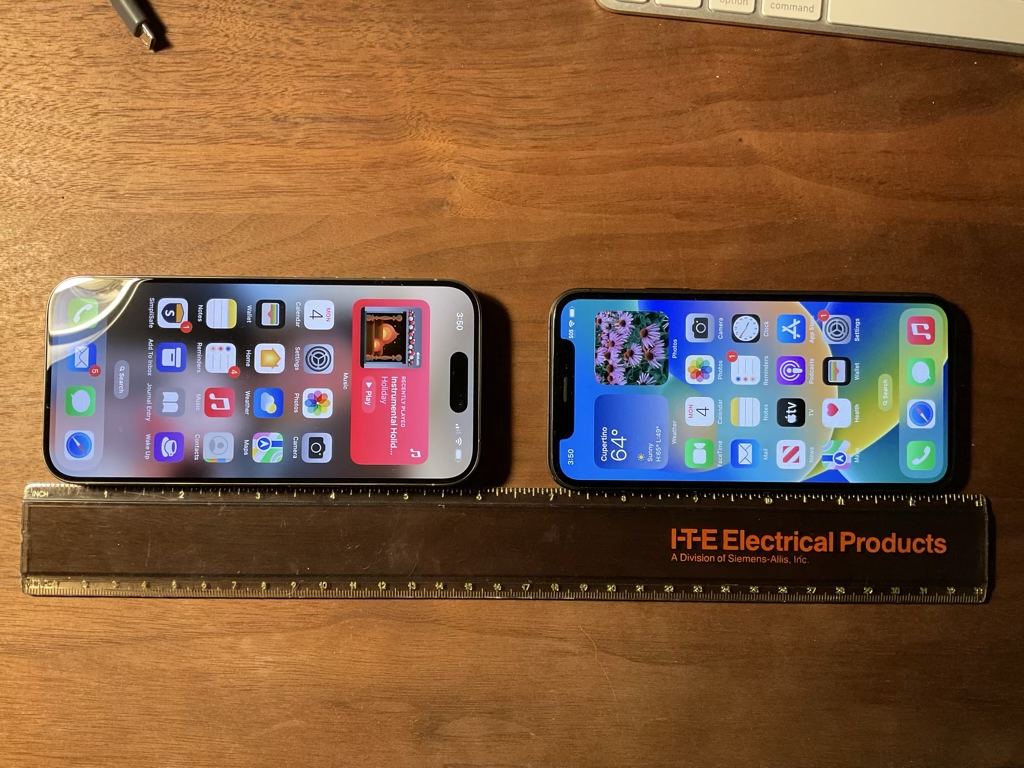
Moving closer, to about an inch, it still doesn’t activate.

Even closer, at about 3/4 of an inch, and still no activation.

This is how close the phones had to be. Even then, they had to stay this way for a couple of seconds before NameDrop started.
What Others Say
There are several reputable news organizations also highlighting that is “issue” doesn’t exist, or, at best, is very overblown.
Turning it Off
If, after reading all of this, you’re still not comfortable with NameDrop being active on your phone, you can disable it. Just go to Settings, tap General, then tap AirDrop. On the settings page, turn off Bringing Devices Together.
Conclusion
There are so many legitimate ways that scammers and thieves can attempt to steal our information: phishing emails, hacking, scam phone calls, and more. NameDrop isn’t one of them. Adding another (needless) thing to worry about just makes it more confusing when trying to be safe when using our devices.
While I’m sure that many of the posts online are meant to be helpful, I’d prefer it if those posting would dig in to the details more and understand the issues before raising the alarm.
I hope this quick article helps allay any fears you might have from posts you’ve read. If you would like to learn more about NameDrop and the closely related AirDrop, I recently published an article here.
If you have any questions or comments, please let me know in the comments.
Cover photo by Towfiqu barbhuiya on Unsplash

 Rob’s Tech Talk
Thanks for sharing, Rob. I believe everything I read on Facebook, so I was about to switch to Android to avoid Apple’s NameDrop and bask in the safety and security of Google’s smartphone ecosystem.
I figure that if news orgs can exaggerate and what not, then so can I?
Kidding aside, yeah, news loves to latch onto what sounds alarmist or sensational. It gets attention. Woudn’t be surprised if this was pushed by foreign hackers on Facebook.
LikeLiked by 2 people
LOL – Great comment, Jason! And yes, sensationalism certainly sells. Thanks for reading.
LikeLiked by 2 people
I’m glad you wrote up a post about this Rob. I too have seen a lot of false information about this feature being spread. Your post does a great job of explaining exactly what this feature does and doesn’t do. I will be sure and share this with any of my friends and family who may bring this issue up.
LikeLiked by 1 person
Thanks, Brandon!
LikeLiked by 1 person