While the new year is already well underway, there is one more area that I think is important to consider for a fresh start to the year: privacy. We use our devices for so much of our daily lives and they not only contain a lot of our information, but they also store data about us. Reviewing what apps are able to access on our devices is an important part of controlling your information.
Continue reading “Privacy Review”Apple System Updates
Apple updated its operating systems today, including iPhone, iPad, Apple Watch, and Apple TV. An update for Macs is expected soon. These updates are fairly minor but contain bug fixes and important security improvements. As I’ve written about before, it’s important to stay current with these updates.
Continue reading “Apple System Updates”Making Space
It’s amazing how much of our information we store on our devices. Whether it’s emails, text messages, photos & videos, or documents, our devices, and their corresponding cloud services, have become our digital file cabinets. Unfortunately, we have limited amounts of storage available and can quickly fill it up before we know it. Before buying a new device or more cloud storage, use these tips to make more space.
Continue reading “Making Space”A Fresh Start
As a new year begins I’ve been thinking about fresh starts. This is a good time to organize and clean out our digital lives so that we can start the year fresh, ready for anything. As we use our devices for more and more, it’s amazing how much stuff accumulates on them. Here are a few tips to help you organize and clean up your devices and get ready for the year ahead.
Continue reading “A Fresh Start”Windows 7 Is Ending, And An Update
I posted an article earlier this year about Microsoft’s plan to end support for Windows 7 in January 2020. As the end of the year approaches, I thought it would be a good idea to remind anyone that is still using Windows 7 about this.
Continue reading “Windows 7 Is Ending, And An Update”Apple’s Update Season
It’s that time of year when Apple releases new devices and software updates. You’ve probably seen this mentioned in the news quite a bit over the past couple of weeks. Now that the dust has settled (a little), I thought I’d give a quick overview of what’s new and help to answer that all-Important question: should you get a new device.
How To Handle Important Emails
It can be challenging to sort through all of our email to find the truly important ones. Junk mail, scams, phishing attempts, and more all contribute to overloaded inboxes. Luckily there are some easy ways to find and keep track of important emails.
Safari: Open a Tab From Another Device
I often use my iPhone to look things up on the web while I’m out and about. If I want to pick up where I left off later using my iPad, I don’t have to remember how to get back to that page. There is a very simple way to jump right to it.
How to use Siri with Reminders
In my last article, I showed how to set up a shared shopping list using the Reminders app, and I showed how to quickly use Siri to add items to those lists. Did you know that Siri and the Reminders app can help you remember many more things?
How to Create a Shared Grocery List
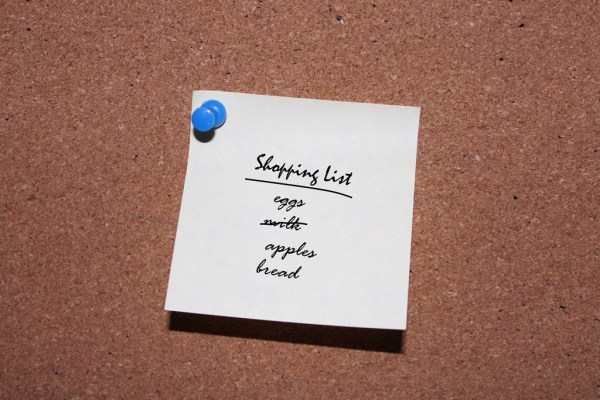
Many of you probably use your iPhone to keep track of shopping lists. It makes it easy to jot things down that you want to remember to buy, and you always have your phone with you. Wouldn’t it be nice if several people could add items to the same list so you know that you’re getting everything needed at the store? Luckily, that’s pretty easy to do with the iPhone.